


Hey everyone 😁
I've been taking on some large projects to create a buffer to fully commit myself next few months in the new year on 360Crafter. Last month haven't been so busy technically speaking on 360Crafter. However a lot of interesting things are happening on the background which enables a lot of future growth.
Just wanted to give a quick update 😀
Thank you all for your patience and great support. I keep receiving lot of interest from many different people and that excites me a lot!!
I'm working on auto connecting panorama navigation hotspots. Would like to receive some sets of panoramas that have gps for me to further test it.

Hello Ronald, thank you for your nice tool , it's very cool to give that the the community. if you work on a V2, please can you add the function to keep the GPS data ? thanks and keep it cool ;-)
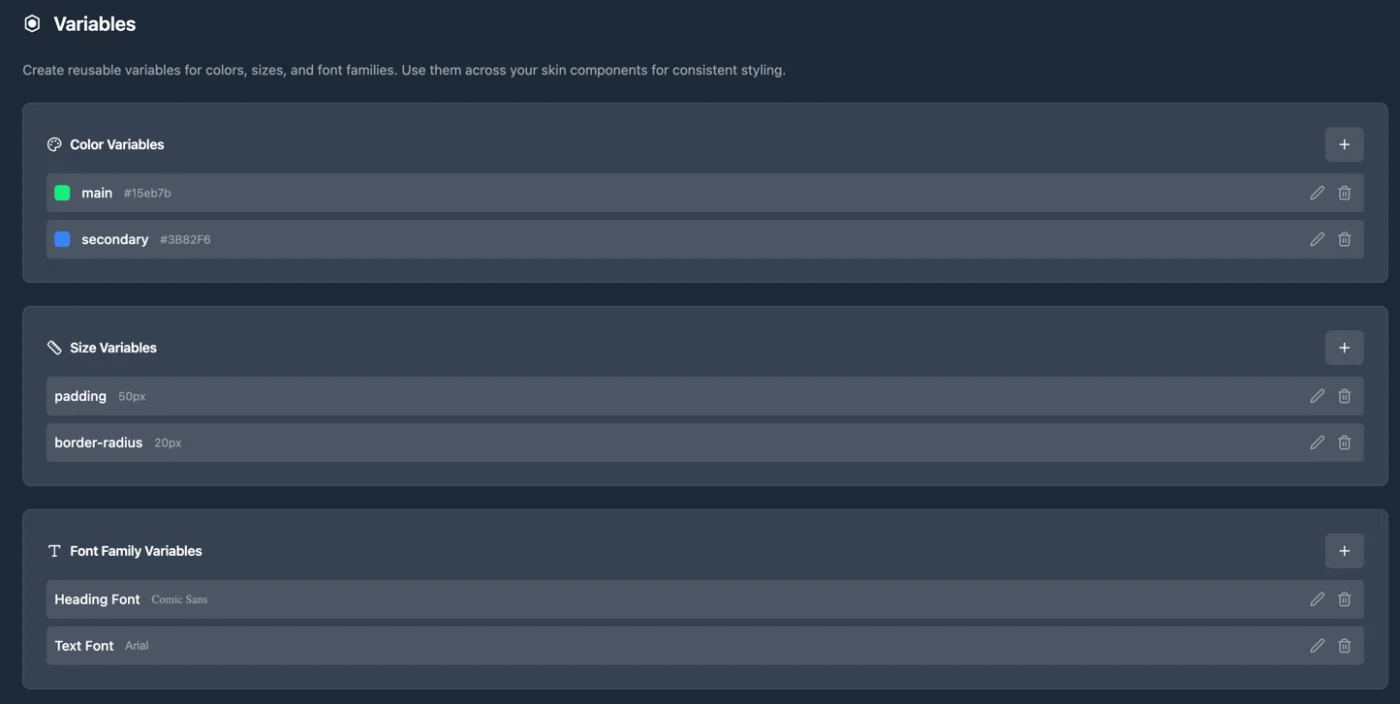
Set your variables in the variables page and use them on different places in the skin and the hotspots.
Company rebranding? No problem. Edit the variables and your whole project now is rebranded.
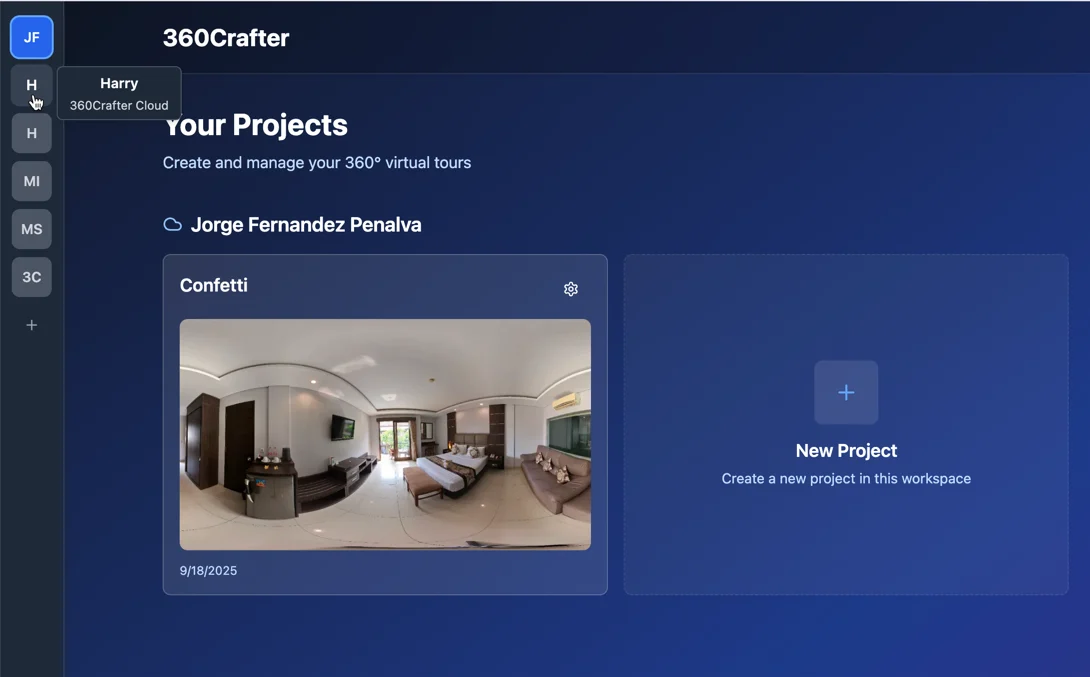
Instead of showing all workspaces below each other and scrolling to find it, there now visible in a vertical menu on the left side, like you're probably used to with other software such as with Slack.
Jay Salois showed me during a user test, while I was silent, that he wanted to click on the text component in the skin itself to edit text. Quickly fixing those things 🤓
I would like to do some live beta testing. Meaning that we get on a call, I give you access to the beta and you try out a few things as you share the screen with me.
I'm back on track with the CMS today.
After getting text from a CSV back to work again linked to a text component in the skin, I got the following cool things to work:
- Image url from CSV to load in as a dynamic image in the skin
- Boolean/checkbox (true or false) from CSV to show or hide a skin component
- Update a CSV with a new CSV with option to merge (check if it already exists, if so, then update that thing otherwise create a new thing)
- Dates from CSV
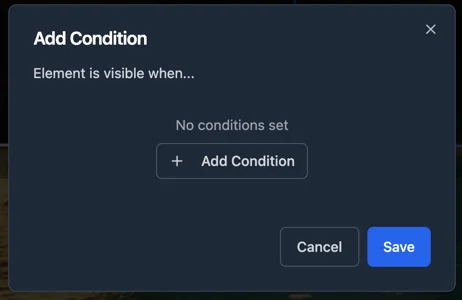
Currently working on Conditional Visibility. First just in skin components, then also for hotspots.
Why is Conditional Visibility awesome?
It means that you can only show products/information points/projects or whatever your 360° tour is about based on dates for example and keep the tour up-to-date.
Only show this hotspot if the date of the hotspot is before today
This stuff I get paid very well for in 3DVista projects for enterprise clients setting up skin cms combined with complex javascript code. And now it will be just a part of 360Crafter without the javascript and without skin cms.
I know for some people this might sound very complex. Because most of us are not used to think in terms of data and conditional logic. But once you get it, you get it. And that opens up lots of ideas 😁
I will set up meetings to go through some examples and make tutorials of course 🤓 👨🏫
Just something I found really useful myself to close a container with ESC on my keyboard.
Thanks to Lucho for the summary.
Overview
This session focused on Ronald’s journey developing an open-source virtual tour platform called 360 Crafter. He shared his background in 360 video, AR/VR, and open-source tools, and discussed the motivations behind creating a platform that addresses limitations in existing commercial solutions. Key themes included user experience design, open-source licensing considerations, branding, and feedback on the roadmap and beta testing strategy.
Key Points
- He transitioned into 360 video production in 2015 and gradually evolved into creating interactive tours, eventually exploring open-source tools due to frustrations with closed-source platforms and their restrictive policies.
- The idea for 360 Crafter emerged from a need for an open-source alternative to platforms like 3DVista and Matterport, allowing creators to maintain control over their data and avoid vendor lock-in.
- Using AI tools, Ronald was able to develop a functional prototype of 360 Crafter within two months, including features like S3 storage integration, workspace and project management, and basic skin customization.
- He emphasized the importance of intuitive navigation and smooth transitions between panoramas, inspired by Google Street View’s 3D hotspot behavior and smart entry views.
- User feedback suggested that Ronald should prioritize releasing a simple, stable beta version to allow early adopters to test and break the software before adding more complex features.
- Ronald expressed concerns about open-source licensing models, particularly around commercial use and ensuring that large companies cannot exploit the software without contributing back.
- He is exploring a custom license inspired by the Sustainable Use License used by platforms like n8n, which allows open-source use but restricts rebranding and resale without permission.
- Branding and custom domain support were identified as key features for professional users who want to present tours under their own domain rather than a default subdomain.
- The group encouraged Ronald to focus on execution and not get bogged down by licensing or legal complexities early on, suggesting he seek legal support later as the project matures.